


Important: This tool gives an estimate based on the calorie values you enter for each ingredient. It is not a substitute for verified nutrition data or professional dietary advice. For precise nutrition labeling, use USDA FoodData Central or a labeled nutrition database for each ingredient.
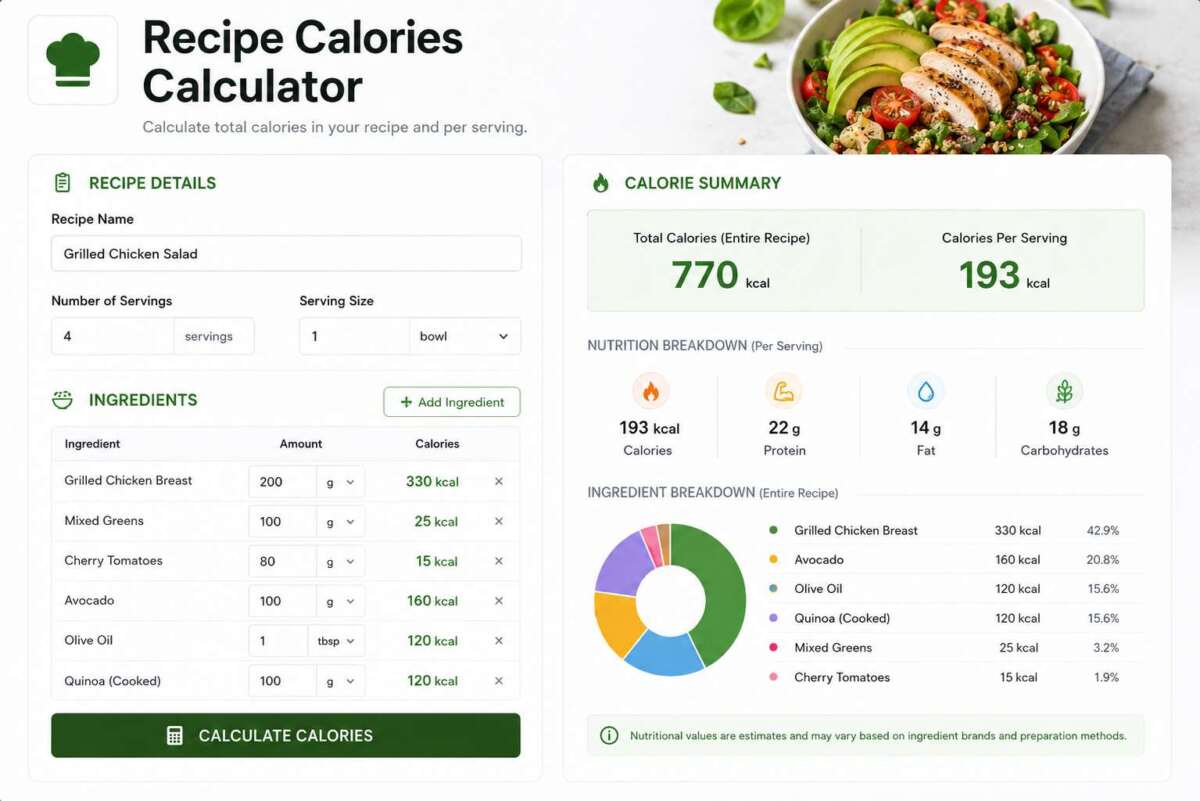
The Recipe Calorie Calculator helps you figure out how many calories are in a homemade dish. Use the Ingredient Builder tab to add every ingredient in your recipe and get a running total plus calories per serving, the Quick Per-Serving tab if you already know a recipe’s total calories and just need to divide it by servings, or the Macros to Calories tab to convert protein, carb, and fat grams into a calorie count.
Table of Contents
- Recipe Calorie Calculator
- How Recipe Calorie Calculation Works
- Where to Find Accurate Ingredient Calorie Data
- Tips for More Accurate Results
- Frequently Asked Questions
Recipe Calorie Calculator
Select a tab below to get started.
How Recipe Calorie Calculation Works
Calculating calories in a homemade recipe is straightforward addition: look up the calorie count for each ingredient at the exact amount you’re using, add them all together for a total, then divide that total by the number of servings the recipe makes. The accuracy of the result depends entirely on how accurate your per-ingredient numbers are — using cooked weights when the recipe is cooked, and matching the exact quantity used rather than a generic serving size, makes the biggest difference.
Where to Find Accurate Ingredient Calorie Data
- Packaged ingredients: Use the Nutrition Facts label and multiply by how many servings’ worth you used.
- Fresh produce, meat, and bulk ingredients: USDA FoodData Central provides calorie values per 100g for thousands of raw and cooked foods.
- Cooking oils and fats: These are calorie-dense and easy to underestimate — always measure rather than eyeball.
- Cooked vs. raw weight: Rice, pasta, and beans roughly double or triple in weight after cooking, so make sure you’re using calorie data that matches the state (raw or cooked) of the amount you’re measuring.
Tips for More Accurate Results
- Weigh or measure ingredients rather than estimating, especially oils, sauces, and cheese.
- Account for ingredients that get discarded, like marinade poured off before cooking or skin removed after roasting.
- Remember that “servings” is about how the recipe is portioned, not a fixed measurement — if you cut a dish into 8 pieces instead of 6, the per-serving calories change accordingly.
- Garnishes, cooking sprays, and “a drizzle of” ingredients add up — include them rather than skipping them as negligible.
Frequently Asked Questions
Should I use raw or cooked weight when adding up ingredient calories?
Use whichever state matches your calorie source. Most nutrition databases list values per 100g raw for meats and grains — if you’re measuring the ingredient before cooking, use raw values; if you’re measuring a cooked portion (like 2 cups of cooked rice), make sure you’re using cooked-state calorie data, since cooking changes the weight-to-calorie ratio significantly for foods like rice, pasta, and dried beans.
Does cooking method change a recipe’s calorie count?
Yes, in some cases. Frying adds calories from absorbed oil that boiling or baking doesn’t. Reductions (like sauces simmered down) concentrate calories into a smaller volume without removing any. Straining off excess fat or liquid can remove calories from the final dish. These are worth accounting for separately if your cooking method meaningfully changes the ingredient list or volume.
How accurate is this calculator compared to a food label?
It’s only as accurate as the calorie values you enter for each ingredient. Official nutrition labels are based on standardized lab testing or database averages; this tool simply adds and divides the numbers you provide, so double-checking ingredient calorie sources is the main way to improve accuracy.
Can I use this to calculate macros as well as calories?
The Macros to Calories tab converts protein, carb, and fat grams into a calorie count and shows the percentage split between them, using the standard 4/4/9 calories-per-gram conversion. It doesn’t track macros per ingredient automatically — you’d need to total up grams of each macro from your ingredient list separately first.
As an Amazon Associate, We earn from qualifying purchases. When you purchase a product through Amazon links on pulsefitguide.com, we may earn a small commission at no extra cost to you. This helps support the site and keep our content free.
