


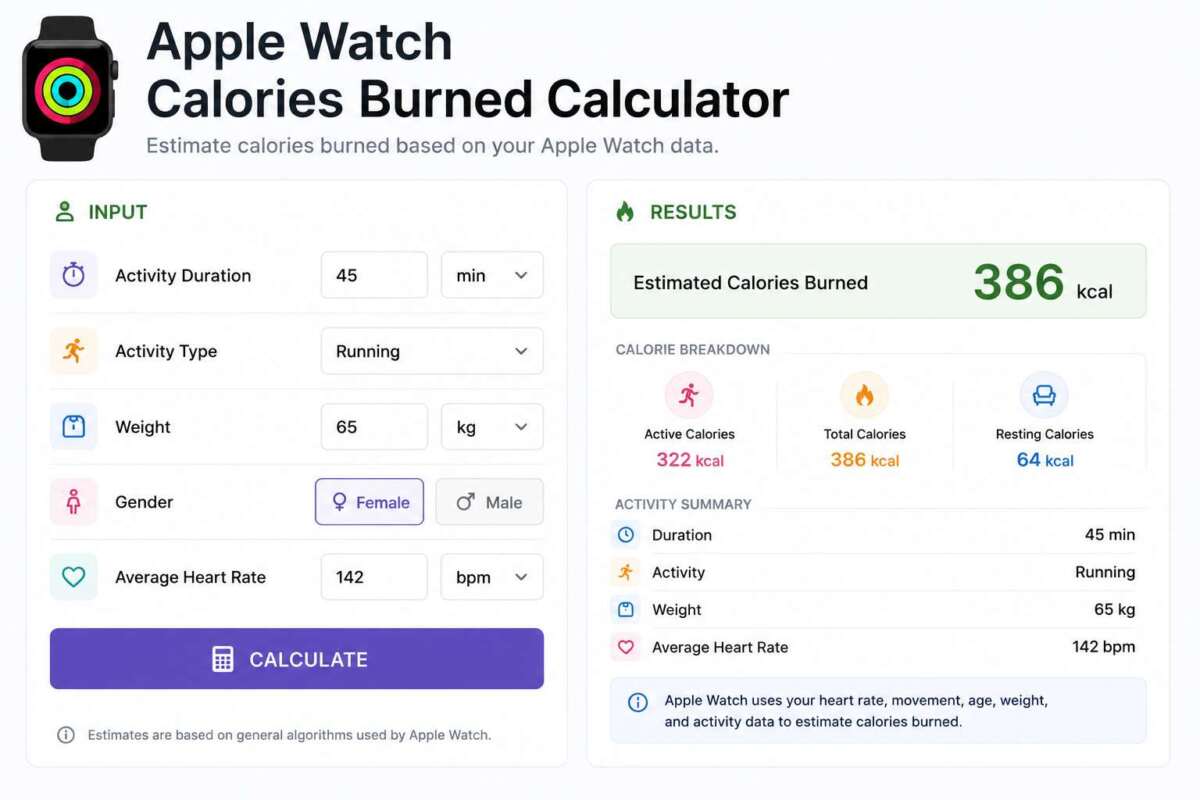
The Apple Watch Calories Burned Calculator estimates calorie burn the way fitness wearables actually do it — combining activity type (MET-based estimation), heart rate data, and resting metabolic rate. Apple doesn’t publish its exact proprietary algorithm, but it’s built on the same two data sources this tool uses: movement/activity intensity and heart rate, layered on top of your personal stats.
Use the Active Calories tab for a MET-based estimate by activity type, the Heart Rate Based tab for an estimate using your average heart rate during exercise (closer to how a watch behaves mid-workout), or the Total Daily Burn tab to combine resting calories with active calories for a full-day total, similar to Apple’s Move + resting calorie breakdown.
Table of Contents
- Calories Burned Calculator
- How Apple Watch Calculates Calories Burned
- Active Calories vs. Total Calories
- The Formulas Behind This Calculator
- How Accurate Is Wearable Calorie Tracking?
- How to Improve Calorie Tracking Accuracy
- Frequently Asked Questions
Calories Burned Calculator
Select a tab below. All three use standard exercise physiology formulas — the same category of formulas that underlie most fitness wearable algorithms, though no third-party calculator can replicate Apple’s exact proprietary weighting.
How Apple Watch Calculates Calories Burned
Apple has never published the exact proprietary algorithm behind its calorie estimates, but it has publicly described the inputs it combines:
- Motion data from the built-in accelerometer and gyroscope, used to detect movement intensity, cadence, and recognize workout types (walking, running, cycling, swimming, and more).
- Heart rate data from the optical sensor on the back of the watch, tracked continuously and used to gauge exertion relative to your personal heart rate range.
- Personal profile data — age, sex, height, and weight, entered in the Health app — since two people moving identically can burn meaningfully different amounts of energy.
- GPS data (when available), refining pace and distance-based estimates for outdoor walking, running, and cycling workouts.
For recognized workout types with well-established movement patterns (like running), motion data tends to carry more weight in the estimate. For less structured or highly variable activity (like strength training or an unrecognized workout type), heart rate data plays a larger relative role. This calculator mirrors that same two-pronged approach with the Active Calories (motion/MET-based) and Heart Rate Based tabs above.
Active Calories vs. Total Calories
Wearables typically report two separate calorie numbers, and it’s a common point of confusion:
- Active calories (the “Move” ring on Apple Watch) count only calories burned above your estimated resting rate — the extra energy cost of actually moving around and exercising.
- Total calories (sometimes labeled “Total” or found in the Health app) add active calories on top of your resting/basal calorie burn — the calories your body uses just to function, even lying still all day.
If you’re comparing a wearable’s calorie number to a food-tracking app’s calorie budget, make sure you’re comparing the right pair — total calories burned against total daily calorie needs, not active-only calories against a full-day budget, which will make it look like you have far less room to eat than you actually do.
The Formulas Behind This Calculator
Active Calories (MET-based): Calories/minute = (MET × 3.5 × weight in kg) ÷ 200. MET (Metabolic Equivalent of Task) values come from standardized physical activity compendiums and represent how many times more energy an activity uses compared to resting quietly.
Heart Rate Based: Uses a validated regression formula (Keytel et al.) built from heart rate, age, weight, and sex:
- Men: Calories/min = (−55.0969 + 0.6309 × HR + 0.1988 × weight[kg] + 0.2017 × age) ÷ 4.184
- Women: Calories/min = (−20.4022 + 0.4472 × HR − 0.1263 × weight[kg] + 0.074 × age) ÷ 4.184
Total Daily Burn: Resting calories use the Mifflin-St Jeor equation, multiplied by an activity factor for non-exercise daily movement, with tracked exercise calories added on top — the same basic structure wearables use when splitting resting versus active burn.
How Accurate Is Wearable Calorie Tracking?
Independent validation studies comparing wrist-worn wearables (including Apple Watch) against clinical-grade indirect calorimetry generally find reasonable accuracy for steady-state cardio like walking and running, with wider error margins for activities involving irregular arm motion, upper-body-dominant effort, or minimal wrist movement — strength training, cycling with a firm grip, swimming strokes, and HIIT circuits are common weak points, since the wrist accelerometer picks up less representative motion data and heart rate can lag behind actual exertion changes.
How to Improve Calorie Tracking Accuracy
- Keep your Health profile current — an outdated weight is one of the biggest sources of estimate error, since weight is a direct multiplier in nearly every formula.
- Wear the device snugly, above the wrist bone, for more consistent optical heart rate contact.
- Select the correct workout type when starting a tracked session rather than relying on auto-detection, since different workout types apply different weighting to motion versus heart rate.
- Use a chest strap heart rate monitor for activities prone to wrist motion artifacts (weightlifting, cycling) if precise tracking matters to you.
- Treat the number as an estimate for trend tracking, not a precise clinical measurement — consistency over time is more useful than any single workout’s exact figure.
Frequently Asked Questions
Does Apple publish its exact calorie calculation formula?
No. Apple has described the general inputs (motion data, heart rate, personal profile, GPS) but has not published the exact proprietary weighting or algorithm. This calculator uses established, published exercise physiology formulas that operate on the same underlying data sources.
Why do different fitness apps show different calorie numbers for the same workout?
Each app and device uses its own formula, weighting of motion versus heart rate data, and assumptions about your resting metabolic rate — small differences in any of these compound into visibly different final numbers, even for the exact same workout.
Why does strength training show a lower calorie burn than expected?
Wrist-worn motion sensors pick up less representative movement data during strength training compared to whole-body activities like running, and heart rate during resistance training rises in bursts rather than staying steadily elevated — both factors tend to make wearables underestimate strength training calorie burn relative to its actual metabolic cost.
Should I eat back the calories my watch says I burned?
Be cautious — wearable active-calorie estimates can run higher than actual burn for some activity types, and consistently eating back an overestimated number can quietly stall weight loss goals. Many people find it more reliable to use the number as a rough guide and trend indicator rather than a precise calorie-for-calorie exchange.
As an Amazon Associate, We earn from qualifying purchases. When you purchase a product through Amazon links on pulsefitguide.com, we may earn a small commission at no extra cost to you. This helps support the site and keep our content free.
