


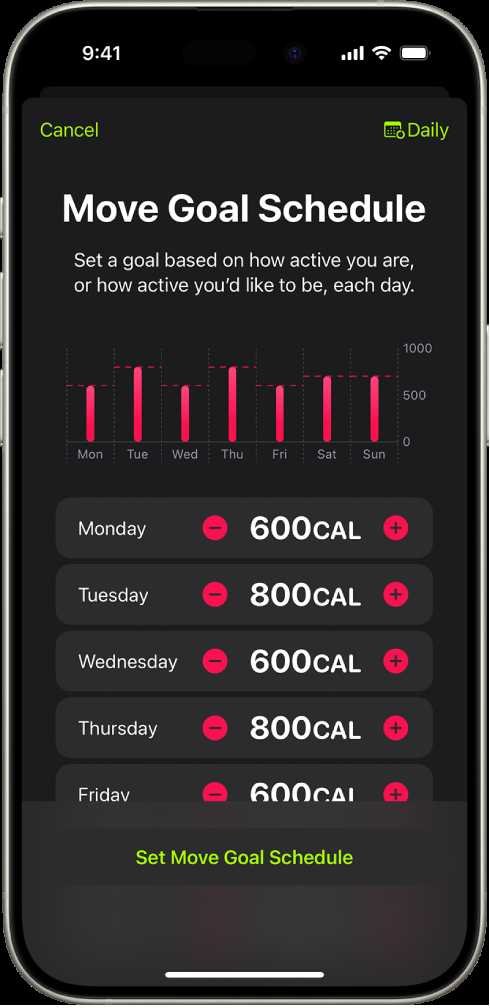
To effectively use a walking app to set and reach your fitness goals, start by exploring the app’s features, setting clear objectives, and regularly tracking your progress. Use the reminders and motivational tools provided to stay on course, and gradually increase your activity level to avoid burnout. Consistency and goal adjustment are key to success.
Using a walking app is a fantastic way to stay motivated and organized in your fitness journey. First, choose an app that suits your needs, whether it’s step counting, distance tracking, or integrating with other health tools. Set specific, realistic goals like walking 10,000 steps daily or exploring new routes weekly. The app’s tracking and reminder features help you stay committed, and monitoring your progress keeps you motivated. Over time, adjust your goals based on your achievements to keep challenging yourself without feeling overwhelmed. Walking apps make fitness more engaging and manageable by providing insights, encouragement, and a structured path toward better health.

How to use a walking app to set and reach goals
Understanding the Benefits of Using a Walking App
Walking apps are excellent tools that help you stay active and motivated. They provide real-time data that shows your progress and inspire you to move more. Using a walking app can make your fitness journey more structured and enjoyable.
Tracking your steps, distance, and calories burned is easy with these apps. You can see your improvements over days or weeks. They also often include social features that let you challenge friends or join community groups.
By using a walking app, you get personalized insights tailored to your activity level. This can help you set realistic and achievable goals. Additionally, it keeps you accountable, making it easier to stick with your walking routine.
Choosing the Right Walking App for Your Goals
Not all walking apps are the same. Some focus on step counting, while others offer detailed fitness tracking and goal setting. Make sure to pick an app that aligns with your personal health objectives.
Look for features like GPS tracking, goal reminders, and progress charts. Compatibility with your smartphone or wearable device is also essential. User reviews can give you insight into the app’s ease of use and reliability.
Some popular walking apps include Fitbit, Strava, and Google Fit. Each offers different features, so consider what suits your needs best. Try downloading a couple of apps to see which interface you prefer.
Setting Clear and Achievable Goals
Start with simple goals if you’re new to walking regularly. For example, aim for 5,000 steps daily or walk for 20 minutes three times a week. Setting small targets creates a sense of accomplishment and keeps you motivated.
Use the SMART goal framework—Specific, Measurable, Achievable, Relevant, and Time-bound. For instance, instead of saying “walk more,” set a goal like “walk 10,000 steps every day for the next month.”
Break larger goals into smaller milestones. Celebrate your progress along the way. This helps prevent feeling overwhelmed and encourages consistency.
Utilizing App Features to Meet Your Goals
Most walking apps offer features that help you stay on track. Use the **goal-setting** tools to input your daily or weekly targets. Many apps send reminders to keep you moving.
Explore the **progress tracking** charts to see how well you’re doing over time. They often display your steps, distances, and calories burned graphically. Use this data to identify patterns and adjust your goals if needed.
Some apps include **reminders and alerts** that notify you when it’s time to walk. Use GPS features to map new routes and add variety to your walks. This can prevent boredom and keep you engaged.
Creating a Consistent Walking Routine
Consistency is key to reaching your walking goals. Schedule specific times during the day dedicated to walking. Set alarms or reminders in your app to establish a routine.
Choose routes you enjoy to make walking more pleasurable. Vary your pace or route to keep things interesting. Keeping your walks fun will improve your commitment over time.
Track your routine regularly. Adjust your schedule if you notice days when you are less active. The app’s data helps you stay aware of your habits and makes sticking to your plan easier.
Incorporating Challenges and Rewards
Many apps offer challenges that push you to walk more. Participate in daily, weekly, or monthly challenges to stay motivated. These can include reaching a step goal or walking a certain distance.
Set personal rewards for reaching milestones. Treat yourself to something special when you hit a target. This positive reinforcement encourages continued effort.
Joining community challenges within the app can also boost motivation. Sharing your progress and competing with friends makes walking more social and fun.
Monitoring Progress and Adjusting Goals
Regularly review your walking data to see how far you’ve come. Use charts and summaries in your app for quick insights. If you’re consistently meeting your goals, consider increasing them gradually.
If progress slows down or goals seem too difficult, modify your targets. Making small adjustments keeps your goals realistic and achievable. Keep your goals relevant to your current fitness level.
Remember, progress varies for everyone. Be patient and focus on consistent effort. Tracking your journey helps you stay motivated and aware of your improvements.
Integrating Walking Goals with Overall Health Plans
Combine your walking goals with other wellness activities. Incorporate stretching, strength exercises, or yoga into your routine. A holistic approach enhances overall health benefits.
Use your app to track other health metrics like sleep pattern, heart rate, and water intake if available. Integration of multiple health goals can boost your motivation.
Sharing your progress with health professionals or fitness buddies can provide extra support. They can suggest modifications or new challenges to keep you engaged.
Staying Motivated Over Time
Set new goals periodically to keep yourself inspired. Celebrate each achievement, no matter how small. Recognize your progress to build confidence.
Find walking buddies or join local walking groups. Social support makes it easier to stay committed. Walking with others can turn exercise into a social activity.
Use app features like badges and trophies to reward your efforts. These visual cues make achieving goals more satisfying.
Addressing Common Challenges
Weather, fatigue, or time constraints can hinder your routine. Use indoor walking options or treadmill workouts if needed. Adjust your schedule when life gets busy.
Set realistic goals that consider your daily commitments. Break larger goals into smaller, manageable steps. Patience and flexibility help maintain motivation.
If motivation dips, revisit your reasons for walking. Reminding yourself of your health goals can reignite your enthusiasm. Keep your app notifications active as gentle prompts.
Advanced Tips for Maximizing Your Walking App Experience
Explore extra features like voice coaching or music playlists offered by some apps. These can make walks more engaging and enjoyable.
Sync your app with wearable devices for more precise tracking. Use data insights to identify your best walking times and routes.
Set up weekly or monthly reviews to analyze your progress. Use this data to celebrate milestones or set new challenges. This keeps your walking routine dynamic and part of your lifestyle.
Incorporate interval walking—alternating between brisk and slower paces—to boost fitness. Many apps support interval tracking for efficient workouts.
Summary of Best Practices for Goal Setting and Achievement
- Start with realistic, small goals to build confidence.
- Use the app’s features to track progress and set reminders.
- Create a consistent walking schedule that fits your lifestyle.
- Participate in challenges and set rewards to stay motivated.
- Regularly review and adjust your goals based on your progress.
- Combine walking with other healthy habits for overall wellness.
- Stay flexible and patient during setbacks or busy periods.
By understanding and utilizing these strategies, you can make your walking routine more effective and enjoyable. A walking app is a practical tool that provides encouragement, accountability, and insight throughout your health journey.
Health app not tracking steps on iPhone Fix
Frequently Asked Questions
How can I set realistic walking goals using a walking app?
Start by assessing your current activity level and identify manageable targets that challenge you without causing burnout. Use the app’s tracking features to monitor your daily steps or distance, then gradually increase your goals each week. Setting achievable milestones helps keep you motivated and ensures consistent progress over time.
What features should I utilize in a walking app to stay motivated towards my goals?
Leverage features like daily reminders, progress charts, and achievement badges to stay engaged. Joining community challenges or sharing your milestones with friends can boost motivation. Additionally, setting personalized reminders for regular walks helps establish a routine and keeps you focused on your objectives.
How do I adjust my walking goals if I find them too easy or too difficult?
Regularly review your progress within the app to determine if you’re meeting your targets comfortably. If a goal feels too easy, increase the step count or distance gradually. Conversely, if you struggle to meet your goals, consider lowering them slightly or allowing more flexible deadlines. Adjusting goals keeps them aligned with your current fitness level and prevents discouragement.
What strategies can I use within a walking app to stay consistent with my activity schedule?
Set daily or weekly reminders to walk at specific times. Use the app’s scheduling features to plan walks ahead of time, and track your consistency. Celebrating small victories, such as completing a week of daily walking, can reinforce habits. Consistent logging and reminders help turn walking into a regular part of your routine.
How do I use a walking app to track my progress toward a specific fitness goal?
Define your target, like reaching a certain number of steps or miles within a set period. Use the app to monitor your daily activity, and review weekly summaries to understand your progress. Adjust your daily step count if needed to stay on track. Regularly checking your stats keeps you aware of how close you are to reaching your goal and motivates continued effort.
Final Thoughts
How to use a walking app to set and reach goals involves simple steps. First, define your objectives clearly and input them into the app. Use the app’s tracking features to monitor progress regularly. Adjust your goals based on your performance and stay motivated. Following these steps helps you stay focused and achieve your walking ambitions efficiently.
As an Amazon Associate, We earn from qualifying purchases. When you purchase a product through Amazon links on pulsefitguide.com, we may earn a small commission at no extra cost to you. This helps support the site and keep our content free.
