


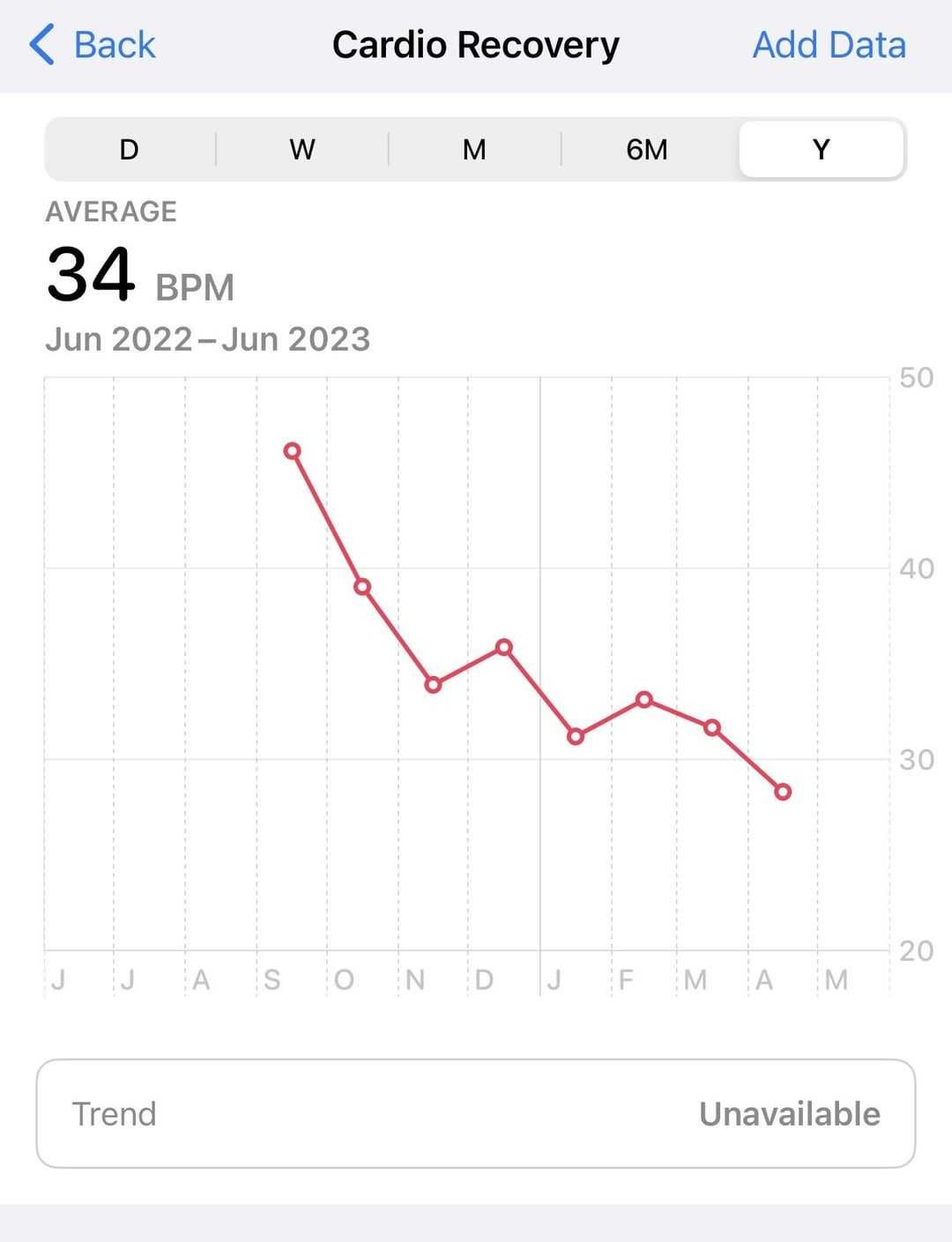
Cardio Recovery on the Apple Watch can be found in the Heart Rate app after a workout. It’s a valuable metric that measures how quickly your heart rate drops after exercising, giving insight into your cardiovascular health. To access it, you’ll need to have a recent workout recorded with your Apple Watch and use the Fitness app on your iPhone or check the Heart Rate app directly on the watch.
In brief, Cardio Recovery is located within the Health or Fitness app on your iPhone, displayed after completing a workout. On the watch itself, you can view it in the Heart Rate app, typically after a workout session, providing you with important data about your heart’s post-exercise recovery speed.
If you’re curious about where to find your Cardio Recovery data on your Apple Watch, you’ve come to the right place. Many users want to track their heart health, especially how quickly their heart recovers after exercise. The good news is, this feature is integrated into your device, but its placement depends on whether you’re viewing it on the watch or the accompanying iPhone. Once you understand where to look, you’ll be able to monitor this key metric and get a better sense of your overall fitness.

Where is Cardio Recovery on Apple Watch? A Complete Guide
Understanding Cardio Recovery and Its Importance
Cardio Recovery is a feature that measures how quickly your heart rate returns to normal after exercise. This metric helps assess your cardiovascular health and fitness levels. Apple Watch offers this data as part of its health-tracking capabilities to give users insights into their heart health.
How Apple Watch Tracks Heart Rate Recovery
The Apple Watch uses built-in sensors to monitor your heart rate during and after workouts. Once you finish a workout, the watch continues to measure your heart rate for a short period. This data allows it to calculate your heart rate recovery time automatically. The process is seamless and happens in the background.
Finding Cardio Recovery Data on Your Apple Watch
The Cardio Recovery metric is not displayed directly on the watch face but is accessible via the Health app on your iPhone. To find the Cardio Recovery data, follow these simple steps:
- Open the Health app on your iPhone.
- Tap the Browse tab at the bottom.
- Scroll down to Heart and select it.
- Look for Heart Rate Recovery in the list of metrics.
Once located, tap on Heart Rate Recovery to see detailed data from various workouts.
Accessing Cardio Recovery Post-Workout
After completing a workout on your Apple Watch, you need to wait a few minutes for the watch to process the data. The watch automatically records heart rate recovery during this period. To view this data:
- Open the Fitness app on your iPhone.
- Tap the Workouts tab.
- Select a recent workout.
Within the workout details, you will see metrics related to your heart rate recovery if available. If it’s not immediately visible, it may require syncing your watch with the latest software and data.
How to Improve Your Heart Rate Recovery
Your heart rate recovery can improve with consistent cardiovascular exercise. Activities like brisk walking, cycling, or swimming help strengthen your heart. Consider including interval training or endurance workouts into your routine for better results.
Tips for Enhancing Heart Rate Recovery
- Engage in regular aerobic exercises.
- Maintain a healthy diet rich in fruits, vegetables, and whole grains.
- Avoid smoking and limit alcohol intake.
- Ensure adequate sleep each night to support overall heart health.
- Practice stress-reducing activities like yoga or meditation.
Factors Affecting Cardio Recovery Scores
Many factors influence your Heart Rate Recovery score, including age, physical fitness, and overall health. Younger, fitter individuals tend to have faster recovery times. Conversely, health issues or a sedentary lifestyle may result in slower recovery.
Using Cardio Recovery Data to Track Progress
Tracking your Heart Rate Recovery over time helps you see improvements in your fitness. Consistent exercise routines can lead to faster recovery times. Use the data to motivate yourself and set fitness goals.
Related Features on Apple Watch
Apart from Cardio Recovery, Apple Watch tracks various other health metrics:
- Resting Heart Rate
- VO2 Max estimates
- Workout Calories Burned
- Heart Rate Variability
These features work together to provide a comprehensive picture of your cardiovascular health.
Compatibility and Required Software
To access Cardio Recovery data, ensure your Apple Watch runs on watchOS 7 or later. Your iPhone should have iOS 14 or newer. Keep your devices updated to enjoy the latest health-tracking features.
FAQs About Cardio Recovery on Apple Watch
While you didn’t request a FAQ section, it’s helpful to note common questions:
- Does every workout record Cardio Recovery? Yes, if your watch detects a workout with sufficient heart rate elevation.
- Can I see Cardio Recovery data without an iPhone? No, the data is accessible mainly through the Health app on your iPhone.
- Is Cardio Recovery affected by medication? It can be, especially medications that influence heart rate or blood pressure.
How Accurate Is Cardio Recovery Measurement?
Apple Watch provides reliable estimates for most users, but factors like proper fit, skin tone, and movement can affect sensor accuracy. For the best results, wear your watch snugly during workouts and recovery periods.
Integrating Cardio Recovery Into Your Fitness Routine
Use your Cardio Recovery data as a motivational tool. Track improvements over weeks or months to see how your fitness level evolves. Combine this metric with other health data for a balanced approach to wellness.
Understanding where to find and how to interpret Cardio Recovery on Apple Watch empowers you to monitor your heart health effectively. Regularly checking this metric helps you stay motivated and informs your fitness and health decisions. By maintaining a consistent exercise routine and tracking your recovery times, you can make meaningful changes that benefit your overall well-being.
How to View Heart Rate Recovery on Apple Watch
Frequently Asked Questions
How do I access the Cardio Recovery metric on my Apple Watch?
To access the Cardio Recovery metric, open the Workout app on your Apple Watch and select a recent workout that involved cardio activity, such as running or cycling. After completing the workout, scroll down the summary screen to find the Cardio Recovery result, which indicates how quickly your heart rate returns to baseline after exercise.
Can I view Cardio Recovery data on my iPhone?
Yes, you can view Cardio Recovery data on your iPhone through the Health app. Open the Health app, tap the “Browse” tab, then select “Heart” followed by “Heart Rate Recovery.” If your workout data has been synced from your Apple Watch, you’ll see the recovery information associated with your recent sessions.
Which types of workouts provide Cardio Recovery information?
Cardio Recovery data is available for any workout that involves sustained cardio activity, such as running, cycling, swimming, or brisk walking. Ensure that your workout is recorded correctly on your Apple Watch, as the recovery information depends on accurate heart rate measurements during and after exercise.
Final Thoughts
Cardio recovery on the Apple Watch is found within the Health app under the Heart category. After your workout, open the app and navigate to the Fitness section. There, you will see your cardio recovery data displayed clearly. Knowing where is cardio recovery on apple watch helps you monitor your progress effectively and optimize your fitness routine.
As an Amazon Associate, We earn from qualifying purchases. When you purchase a product through Amazon links on pulsefitguide.com, we may earn a small commission at no extra cost to you. This helps support the site and keep our content free.
